BPMN Conformance
Why Use BPMN Conformance?
BPMN Conformance is what lets you put a hard number on the question "Are we actually following our designed process?" By comparing the actual event log to a BPMN 2.0 model, mindzieStudio produces a fitness score for every case - and aggregate compliance metrics for the whole dataset. This is one of the most valuable features for compliance, audit, and continuous improvement teams.
Configure BPMN Conformance to gain:
- Quantified compliance - a fitness score from 0.0 to 1.0 for every case
- Audit-ready evidence - documented measurement of process adherence for regulators and reviewers
- Conforming vs. non-conforming reporting - see exactly which cases follow the model and which don't
- Specific deviation patterns - identify the most common ways reality deviates from the design
- Model validation - quickly see if your designed process matches what people actually do
- Continuous monitoring - track conformance over time as the process changes
- Improvement targeting - focus on the deviation patterns that affect the most cases
Unlike simple Expected Order checks, BPMN Conformance correctly handles parallel gateways, exclusive choices, and other complex BPMN constructs - so it works for sophisticated processes that simple sequence checking cannot.
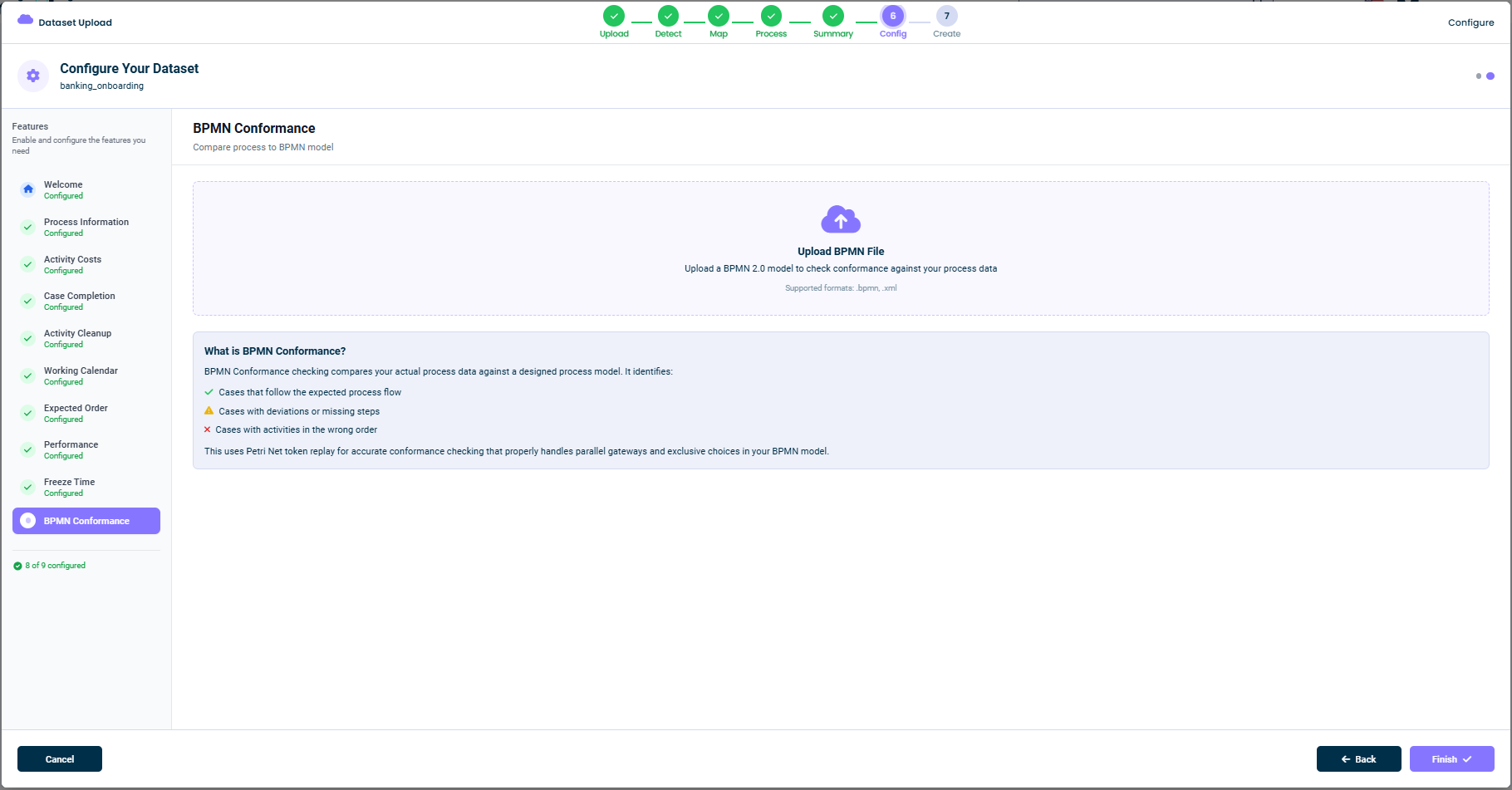
What This Tab Does
Once a BPMN model is uploaded, mindzieStudio replays every case against the model and classifies each one. You can then see:
- Cases that follow the expected process flow - perfect conformance
- Cases with deviations or missing steps - partial conformance
- Cases with activities in the wrong order - non-conformance
The replay uses Petri net token replay, a standard process-mining technique that correctly handles parallel gateways, exclusive choices, and other BPMN constructs. The output is a fitness score per case - and aggregate conformance metrics for the whole dataset.
Uploading a BPMN File
The main panel is a drop zone:
Upload BPMN File - Upload a BPMN 2.0 model to check conformance against your process data.
Supported formats:
.bpmn,.xml
You can either:
- Drag and drop a BPMN file onto the panel
- Click the panel to open a file picker
The model needs to be a valid BPMN 2.0 file. Most BPMN editors (Camunda Modeler, Signavio, Visio with BPMN, bpmn.io, etc.) export this format directly.
How the Replay Works
For each case in your event log, mindzieStudio:
- Converts the BPMN model into a Petri net
- Walks through the case event-by-event
- Plays each event as a "token" through the net
- Counts how many tokens are produced, consumed, missing, or remaining
- Computes a fitness score between 0 and 1 (1 = perfect conformance)
The fitness score is exposed as a case attribute, so you can filter, group, and chart by it just like any other attribute.
Activity Mapping
The activity names in your BPMN model must match the activity names in your event log. mindzieStudio matches by exact name. If your model uses different names than your data:
- Use Activity Cleanup to rename activities in the event log to match the model, or
- Edit the BPMN model so its labels match the event log
Disabling This Feature
If you don't have a BPMN model or don't need conformance checking, simply skip this tab. The configuration is fully optional.
Related Topics
- BPMN Conformance enrichment
- BPMN calculator
- Conformance Analysis
- Activity Cleanup - for renaming activities to match the model
Tips
- Use a BPMN 2.0 model - older formats may not import cleanly
- Match activity names exactly - the replay is name-based
- Start with a high-level model - detailed sub-processes can come later
- Iterate - fix the model or the cleanup rules until fitness scores look reasonable
- Save the model in version control - so you can track changes alongside the data
This documentation is part of the mindzieStudio process mining platform.