Files, OCEL and Event Logs
A project keeps three things apart: the files you handed it, the OCEL - the one object-centric log built from those files - and the event logs that read the OCEL with a chosen idea of what a case is. This page says which files each way in accepts, and how to read the tabs on the Data screen that show each of the three.
Which files each way in accepts
| Way in | Accepts | Good to know |
|---|---|---|
| An object-centric log | .json, .jsonocel |
One file holding events, objects and the relations between them. Before anything is stored, What is in it counts every object type in the file. |
| A flat event log | .csv, .xlsx |
One row per event. For a workbook with several sheets, you are asked which sheet holds the events. |
| Raw data - the original tables | A .csv per table, a .zip of them, or one .sqlite file holding the tables |
Drop all the tables together. |
| Connect to databases | No files | Sets up a connection and chooses its tables; it does not read data into the project yet. Microsoft SQL Server, Oracle Database, PostgreSQL, MySQL / MariaDB, Amazon Redshift, Vertica, SQLite, any ODBC source, and Bring your own driver. |
| A playbook package (.zip) | .zip |
Data files go to the Files tab; documents and the playbook.md go to Additional data. |
A file can be up to 2 GB. What a file holds is read from the file itself, not from its name: the delimiter, the encoding, whether there is a header row and, for a workbook or a database file, its tables. A file that cannot be read is named on the page with the reason.
The tabs on the Data screen
Click Data in the menu, then a tab. Each tab shows a count where it has one - how many connections, files, event logs and documents the project holds.
| Tab | What it shows |
|---|---|
| Data connections | The database connections set up on this project. They do not read data into the project yet. See Loading Data. |
| Files | Every file handed to this project. |
| OCEL | The overview of the log: its figures and cards. See Loading Data. |
| Event logs | The event logs kept on this project, and which one every screen reads. |
| Additional data | Documents that surround the data: procedures, diagrams, contracts and the like. |
Files
What it is for. Files shows where the data came from: every file handed to the project, which one the log you are looking at was built from, and what it gave.
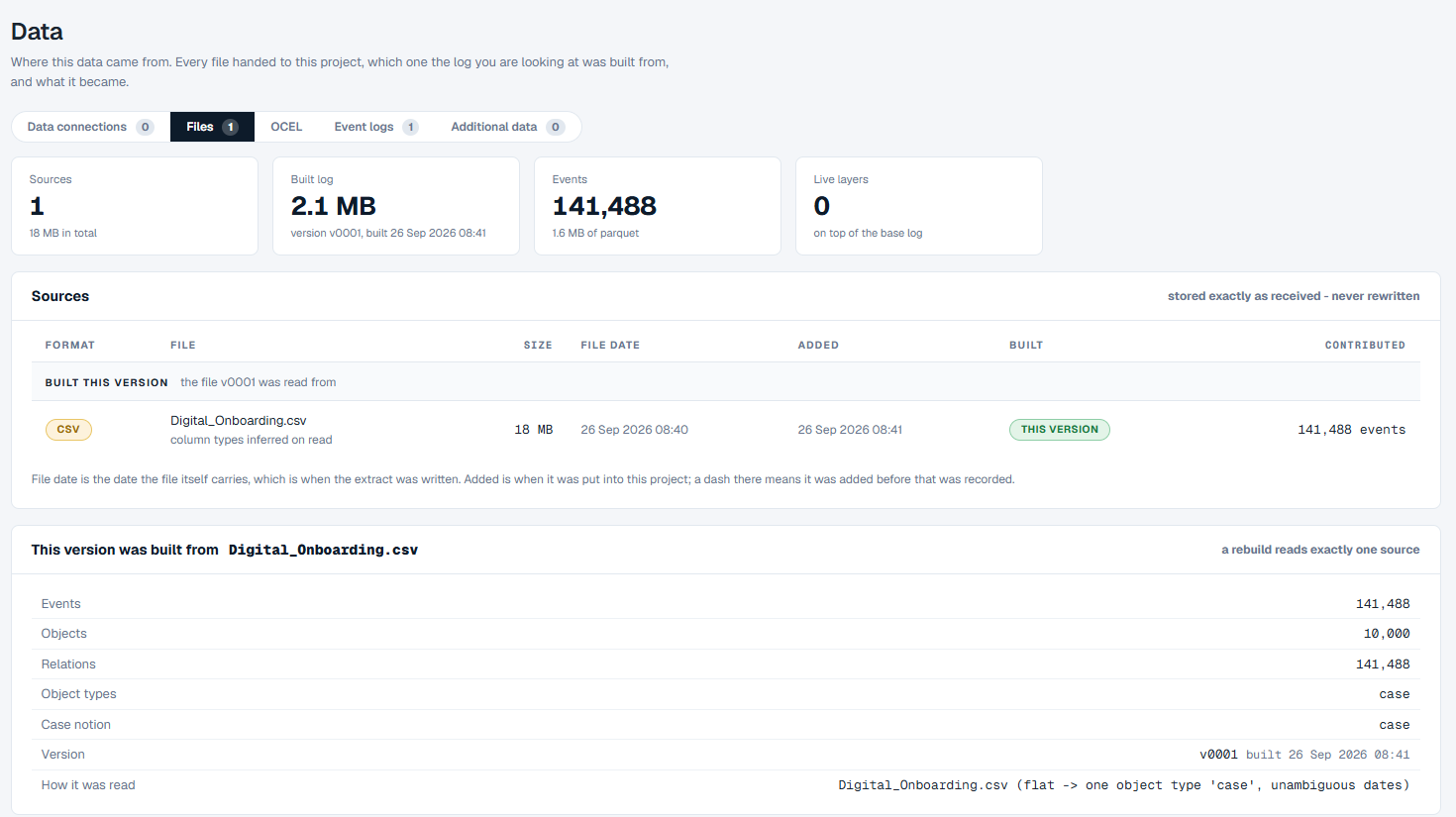
How to read it.
- The figures - how many Sources the project holds and their total size, the size of the Built log with its version and when it was built, the number of Events, and Live layers - how many enrichments add to the log on top of what was loaded.
- Sources - one row per file, stored exactly as it was received. Built this version lists the files the current log was read from; Kept, not built from this version lists files you kept without building from them. Each row gives the file's format, name, size, File date (the date the file itself carries), Added (when it arrived), Built (which version it built) and Contributed (how many events it gave).
- This version was built from - the file name, how many events, objects and relations it gave, its object types, what a case is, the version, and How it was read - for a flat event log, for example, that it became one object type,
case. - Further down, the size of the built log and the enrichments that add to it. With no enrichments, the page says everything on every screen comes from the source above.
OCEL
This is the overview described on Loading Data: the figures, the file it was built from, and the cards.
When the data holds several kinds of objects and nobody has yet said what a case is, the OCEL tab shows only what can be counted without cases: Events, Objects, Relations and Object types, and a table of every object type with how many objects it has. Choose an event log takes you to the Event logs tab to answer the question. Until then, no case figures are shown, because there is no basis for them.
Event logs
What it is for. An event log is a saved answer to "what is a case?" - kept under a name, so you can hold several and switch every screen from one to another.
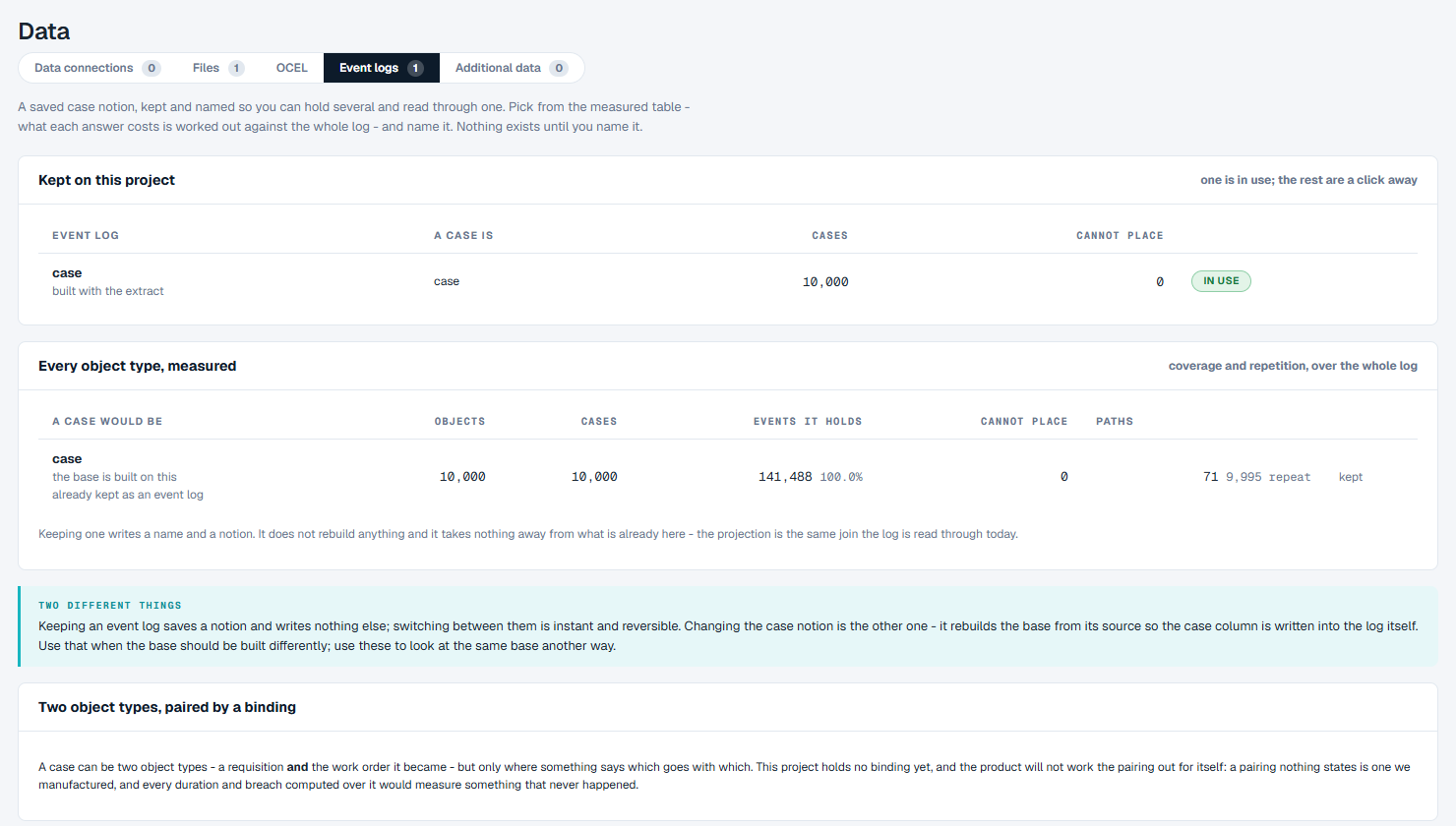
How to read it.
- Kept on this project - one row per event log: its name and a note on how it was set up, A case is (the kind of object a case follows), Cases, Cannot place (events that belong to no case under this answer) and the actions. The log every screen reads shows in use. The log made when the data was loaded says "built with the extract".
- Every object type, measured - one row per kind of object a case could follow, with how many objects and cases that would give, how many events it would hold and how many it could not place, and Paths: how many distinct paths the cases would take, and how many cases repeat a path. Each row not yet kept has Keep as an event log; a row already kept says "kept".
- Two object types, paired by a binding - a case can follow two kinds of objects at once, such as a requisition and the work order it became, when a table you supply says which goes with which.
How to keep and switch event logs is on Choosing What a Case Is.
Additional data
What it is for. Additional data holds what you have in writing about the process - procedures, diagrams, contracts, decks, transcripts, screenshots and spreadsheets. The event log says what happened; these say what was meant to happen.
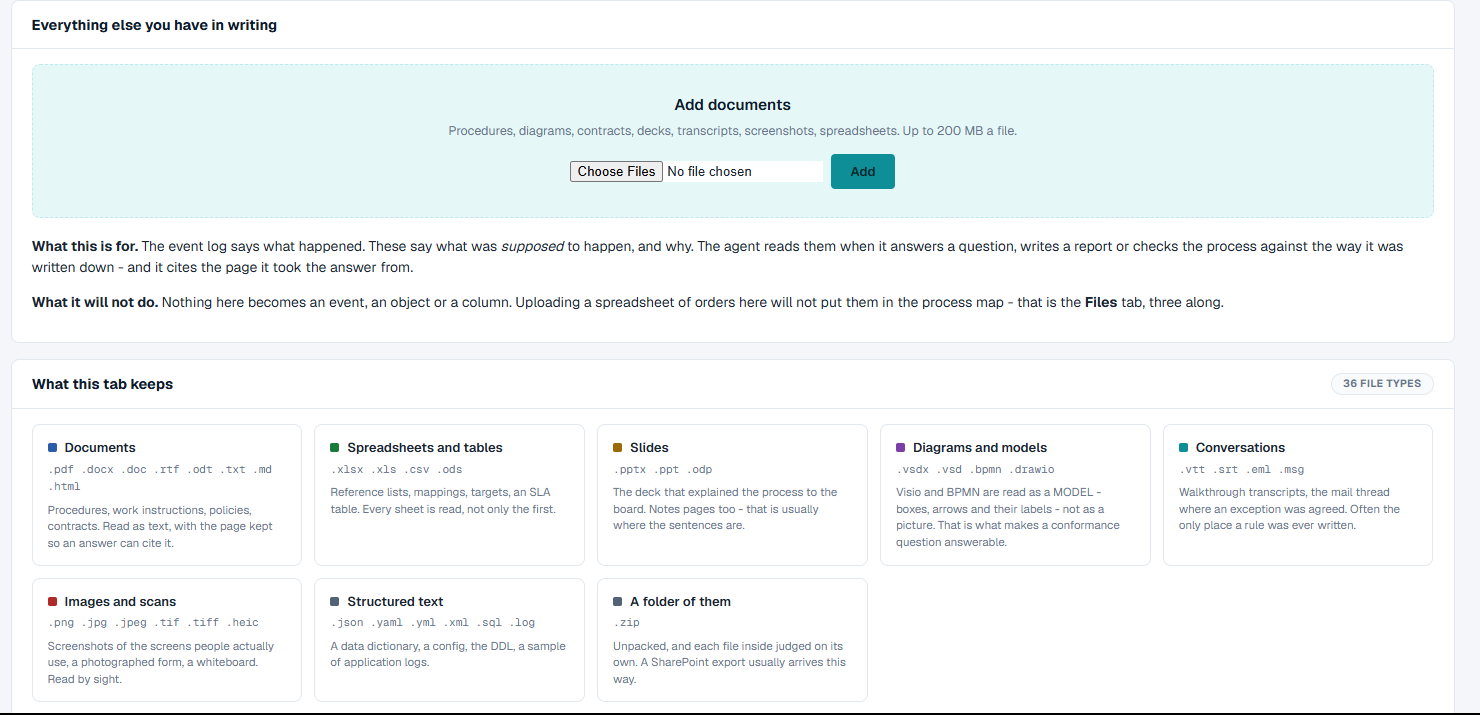
What you can do.
- Drop documents on Add documents, or choose them, and click Add. A document can be up to 200 MB.
- Each document gets a row saying its kind, what was read from it, when it was added, and whether it could be read. Remove takes it away.
What this tab keeps lists the file types it holds, in groups: documents, spreadsheets and tables, slides, diagrams and models, conversations, images and scans, structured text, and a .zip of any of them. Text documents (.md, .txt, .csv, .json, .yaml, .yml, .xml, .sql, .log, .html, .vtt, .srt) are read today; other kinds are kept but their text is not read yet. A file of a kind the tab does not keep stays on the list as a refused row, with the reason.
Nothing on this tab becomes an event, an object or a column. For data that should be part of the log, use Load data.
Good to know
- Files are kept exactly as received and are never rewritten.
- A project holds one set of data. Once it has data, loading again is refused; create a new project for different data.
- Keeping a file (Keep as a file, on the load screen) stores it on the Files tab and builds nothing.
- Today, a playbook build is the only thing that reads the documents on Additional data, and it reads only the text documents.