DB Assistant
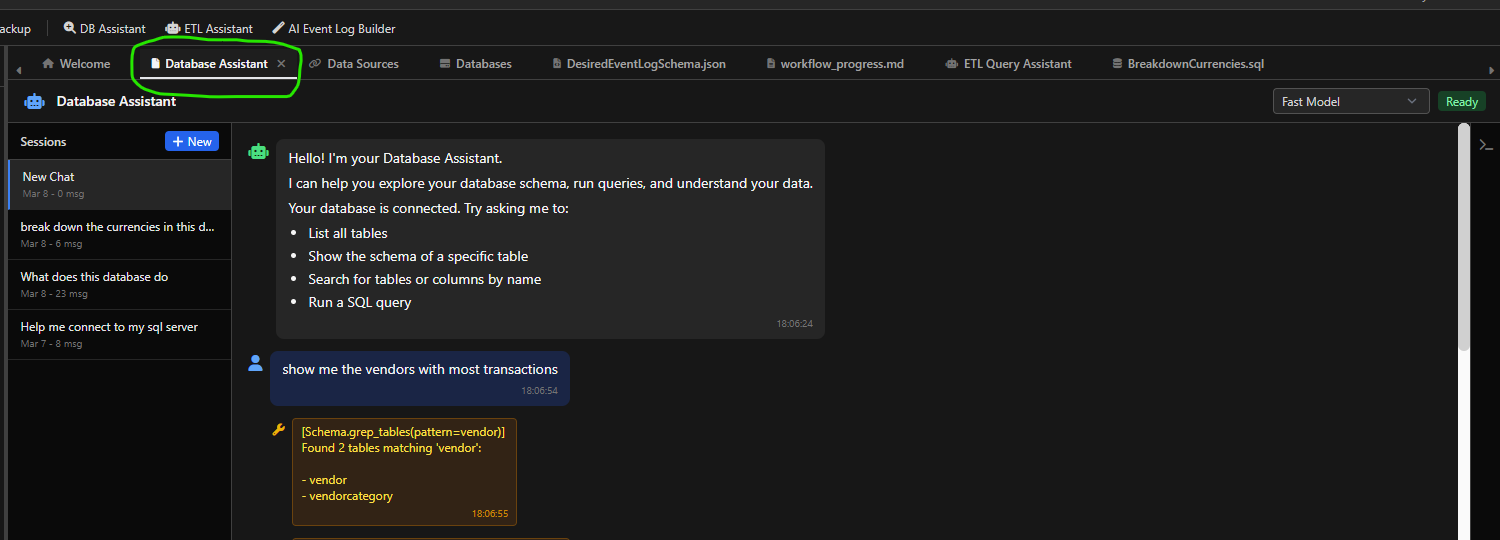
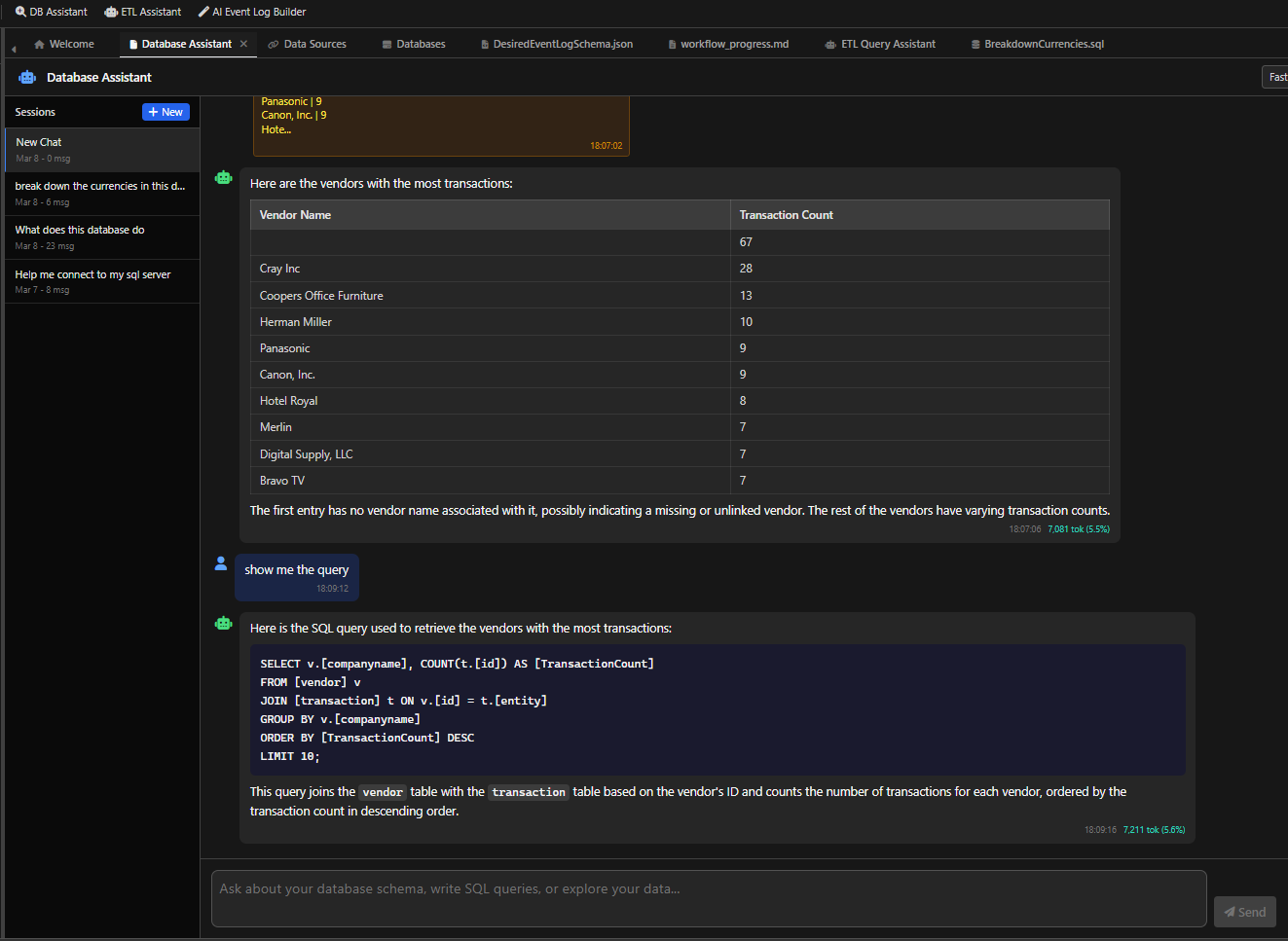
The DB Assistant is a general-purpose SQL assistant in mindzieDataDesigner. It helps you explore your database, write queries, and understand your data. It has no process mining knowledge -- it is purely a database tool.
What It Can Do
- Explore database schema - Browse tables, columns, data types, and relationships
- Write SQL queries - Generate queries for reporting, analysis, and data extraction
- Explain table relationships - Describe how tables are connected through joins and foreign keys
- Optimize queries - Suggest performance improvements for slow queries
- Find data patterns - Search for specific tables, columns, or data characteristics
- Debug SQL errors - Help troubleshoot query syntax and logic issues
- Save queries - Store queries in the Playground folder for later use
- Manage data sources - Create, test, and switch database connections
How to Access
- Open a project in mindzieDataDesigner
- Click DB Assistant in the toolbar at the top of the application
- The assistant opens in a chat panel
How to Interact
The DB Assistant uses free-form chat. Ask whatever you want about your database in natural language. The assistant uses tools behind the scenes to explore your schema, run queries, and return results.
Example Prompts
Exploring the Database
- "What tables are in this database?"
- "Show me the biggest tables by row count"
- "What columns does the orders table have?"
- "How are orders and invoices related?"
Writing Queries
- "Write a query that shows the top 10 customers by order count"
- "Show me all orders from the last 30 days"
- "How many records have a NULL status?"
- "Join the order and payment tables and show me the result"
Understanding Data
- "What does this table contain? Show me some sample data"
- "Are there any duplicate records in the customer table?"
- "What are the distinct values in the status column?"
- "Explain the relationship between these three tables"
Data Source Management
- "What data sources are available?"
- "Connect to the production database"
- "Create a new data source for my SQL Server"
- "Test the connection to the staging database"
Saving Work
- "Save this query for later"
- "Show me my saved queries"
What It Cannot Do
The DB Assistant does not have process mining knowledge. It cannot:
- Build event logs or process mining artifacts
- Detect ERP systems or business processes
- Create case attributes or activity scripts
- Perform any ETL methodology tasks
For event log creation, use the ETL Assistant or the AI Event Log Builder instead.
Tools Available
The DB Assistant has access to the following tools:
| Tool Category | Capabilities |
|---|---|
| Schema exploration | Browse tables, view table schemas, preview data, list datetime columns |
| Query execution | Run SQL queries against the connected database |
| Table sizing | Get table sizes and row counts |
| Data source management | List, create, test, and switch data source connections |
| Playground | Save, edit, list, and delete playground scripts |
| Web search | Search the web for SQL syntax and database documentation |