ETL Assistant
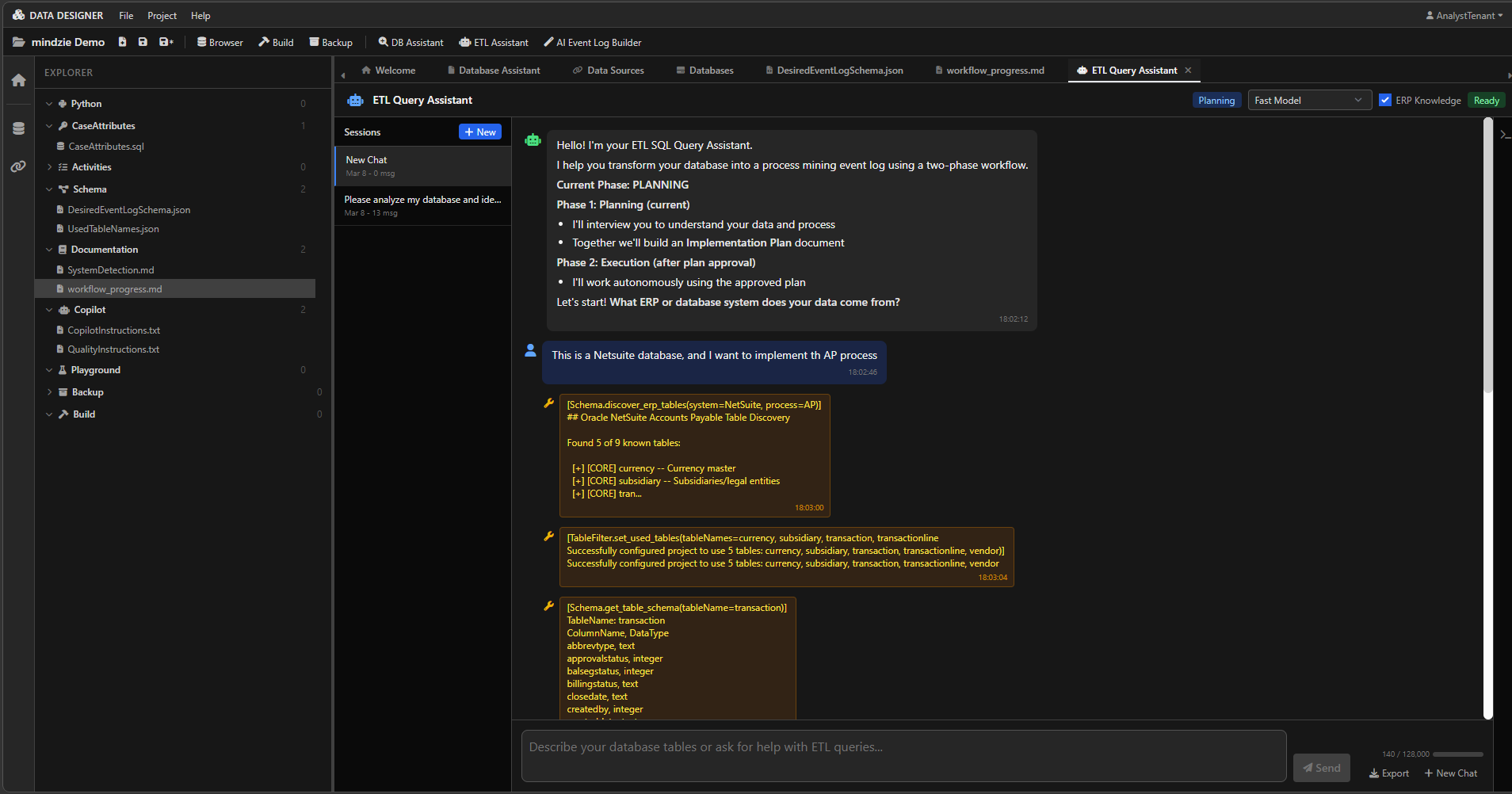
The ETL Assistant is a two-phase ETL consultant in mindzieDataDesigner that builds complete event logs for process mining. It has deep knowledge of ERP systems, database structures, and the mindzie ETL methodology.
How It Works
The ETL Assistant operates in two distinct phases:
Phase 1: Planning
During the Planning phase, the assistant:
- Interviews you to understand your data and goals
- Explores the database to identify tables, relationships, and data patterns
- Detects the ERP system (SAP, Oracle, Dynamics, NetSuite, etc.)
- Researches the data model using the built-in ERP knowledge base and web search
- Builds an Implementation Plan documenting the Case ID strategy, activity definitions, and script specifications
- Presents the plan for review -- you approve before execution begins
Phase 2: Execution
Once you approve the plan, the assistant:
- Works autonomously to implement the approved plan
- Creates SQL scripts for activities and case attributes
- Validates each script to ensure correctness
- Builds the event log and reports the results
- Reports any issues -- if something fundamental is wrong, it explains and asks for guidance
No questions are asked during execution. The assistant works until the event log is complete.
How to Access
- Open a project in mindzieDataDesigner
- Click ETL Assistant in the toolbar at the top of the application
- The assistant opens in a chat panel
How to Interact
Start by describing what you want. The assistant asks clarifying questions during Planning, then works autonomously during Execution.
Example Prompts
Starting a New Event Log
- "Build me an Accounts Payable event log"
- "I want to analyze our order-to-cash process"
- "Help me create a procurement event log from this SAP database"
- "Set up process mining for our service ticket workflow"
Fully Autonomous Mode
- "You figure it out" -- this gives the assistant permission to work fully autonomously. It makes reasonable assumptions, documents them, and keeps going until the event log is built.
Working with Existing Scripts
- "Add more activities to the existing event log"
- "Add customer name and currency as case attributes"
- "The Case ID is wrong, it should use the purchase order number instead"
- "Rebuild the event log with the updated scripts"
Table Setup (Shortcut)
- "Set up the AP tables for Dynamics AX"
- "Configure the used tables for NetSuite order-to-cash"
Debugging
- "Why does the event log have zero events?"
- "The validation is failing with duplicate Case IDs, can you fix it?"
- "Check why the invoice activity has no rows"
ETL Assistant vs. AI Event Log Builder
The ETL Assistant is more flexible and powerful than the AI Event Log Builder. With the ETL Assistant you can:
- Skip ahead -- jump straight to what you need without going through all steps
- Give broad instructions -- let the AI figure out the approach
- Modify existing event logs -- add activities, change Case ID, adjust scripts incrementally
- Perform partial tasks -- "just set up the tables" or "just validate the scripts"
The trade-off is that it requires more knowledge of what you want. If you are new to process mining and want step-by-step guidance, use the AI Event Log Builder instead.
Tools Available
The ETL Assistant has access to everything the DB Assistant has, plus ETL-specific tools:
| Tool Category | Capabilities |
|---|---|
| Schema exploration | Browse tables, view schemas, preview data, list datetime columns |
| Query execution | Run SQL queries against the connected database |
| Table sizing | Get table sizes and row counts |
| Data source management | List, create, test, and switch connections |
| Playground | Save, edit, list, and delete scripts |
| ERP detection | Detect the source ERP system and list supported business processes |
| ERP knowledge | Discover ERP-specific tables using the built-in knowledge base |
| Script management | Create and edit activity scripts and case attribute scripts |
| Validation | Validate case attributes, activities, and review queries |
| Building | Build the event log and read build output |
| Plan management | Create implementation plans, update sections, track checklist progress |
| Web search | Research ERP data models and SQL patterns online |