Exporting Models
Export the open model from the Export menu in the editor toolbar. Export is available even when the model is read-only.
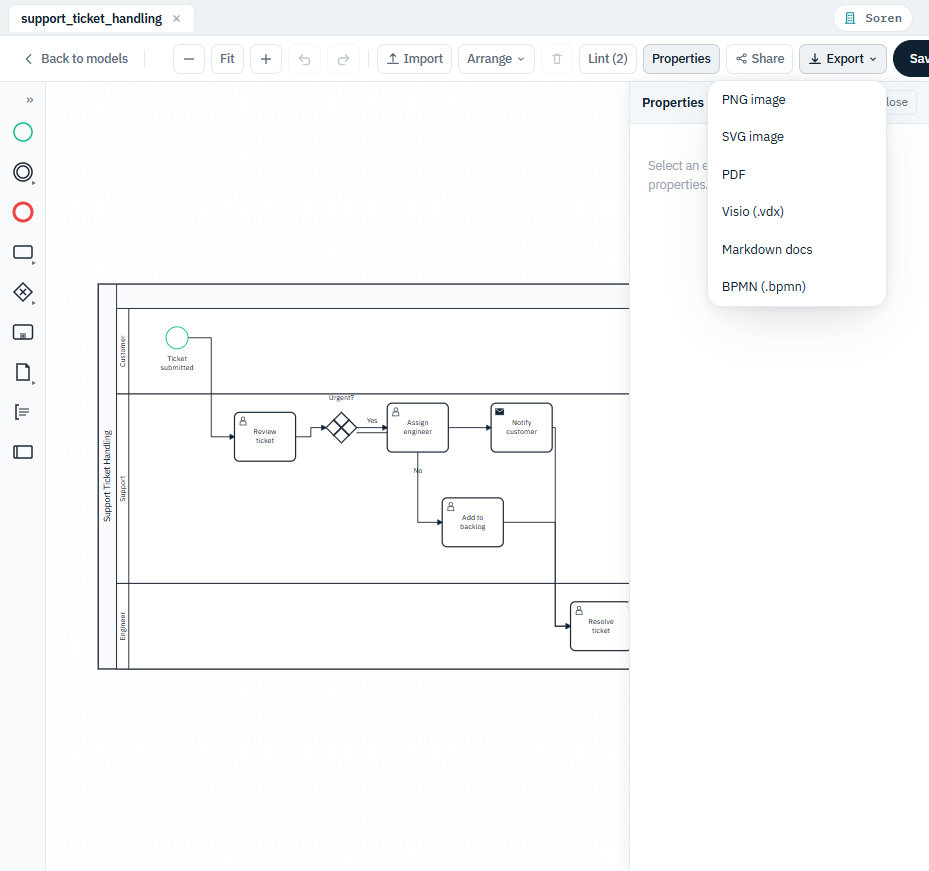
| Format | You get | Best for |
|---|---|---|
| PNG image | A .png bitmap |
Pasting into slides, chat, or documents. |
| SVG image | An .svg vector image |
Web pages and print - scales without losing sharpness. |
A .pdf |
Sharing a printable copy. | |
| Visio | A .vsdx drawing |
Continuing work in Microsoft Visio. |
| Markdown docs | A .md write-up of the process |
Dropping a written description into a document or wiki. |
| BPMN | A .bpmn file |
Other BPMN tools, or importing back into BPM Studio. |
Choosing a format downloads the file through your browser; the model itself is unchanged. If the model is empty there is nothing to export, and the editor says so rather than downloading a blank file.
Downloading a Specific Version
The Export menu always exports what is currently on the canvas. To take a copy of an earlier version, open the model's Versions tab and use Download BPMN on the version you want. See Saving and Versions.
Tips
- Export reflects the model as it currently looks on the canvas - run Arrange > Auto layout, or tidy the arrangement by hand, before an export that is going into a document.
- For the sharpest result in printed material, prefer SVG or PDF over PNG.
- Markdown docs is prose, not a picture: use it when you need the process written out rather than drawn.