BPMN Editor
Overview
The mindzie BPMN Editor is an integrated tool for creating and managing Business Process Model and Notation (BPMN) 2.0 diagrams directly within the platform. It supports both manual diagram creation and automatic generation from your actual process data.
What is BPMN?
BPMN (Business Process Model and Notation) is a standard graphical notation for modeling business processes. BPMN 2.0 provides:
- Standardized process visualization
- Clear communication of process flows
- Documentation for training and compliance
- Process analysis and optimization
Accessing the BPMN Editor
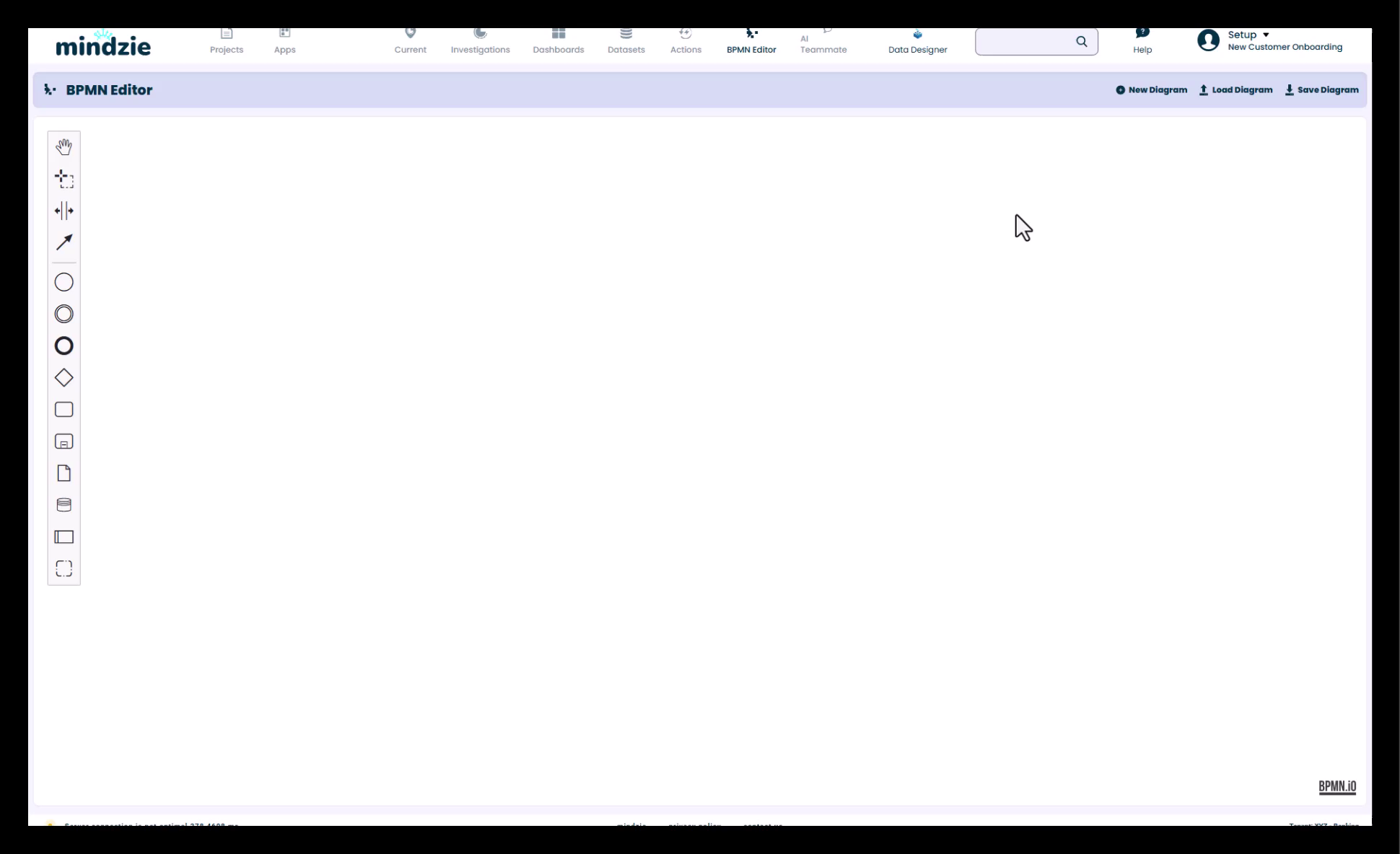
- Click on BPMN Editor in the top menu
- Select New Diagram to start creating
Creating BPMN Diagrams Manually
Starting a New Diagram
The BPMN Editor provides a complete set of tools for manual diagram creation:
Standard BPMN 2.0 Elements
Create professional process diagrams using:
- Tasks and Activities - Process steps and operations
- Gateways - Decision points and branching logic
- Events - Start, end, and intermediate events
- Swim Lanes - Organizational boundaries and responsibilities
- Flows - Sequence flows and message flows
- Artifacts - Data objects and annotations
Diagram Management
Loading Diagrams
- Import from SharePoint and other integrations
- Load existing BPMN files from external sources
- Access previously saved diagrams
Saving Diagrams
- Save directly to your desktop
- Export in standard BPMN format
- Store in integrated document repositories
Building Your Diagram
- Add Elements - Drag and drop BPMN components
- Create Swim Lanes - Define organizational boundaries
- Draw Flows - Connect activities with sequence flows
- Add Frames - Extend diagrams with additional sections
- Annotate - Add notes and documentation
Auto-Generated BPMN from Process Data
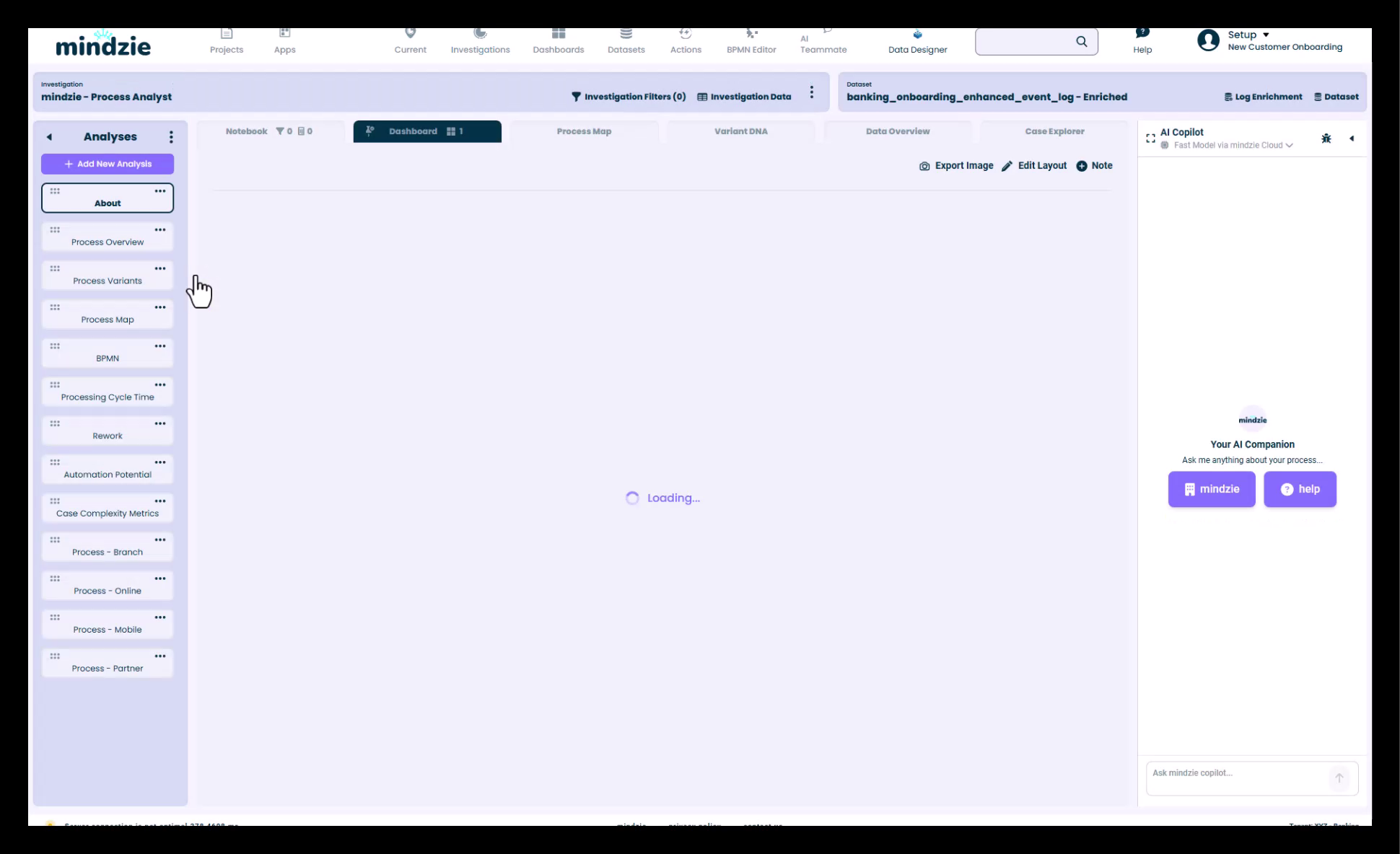
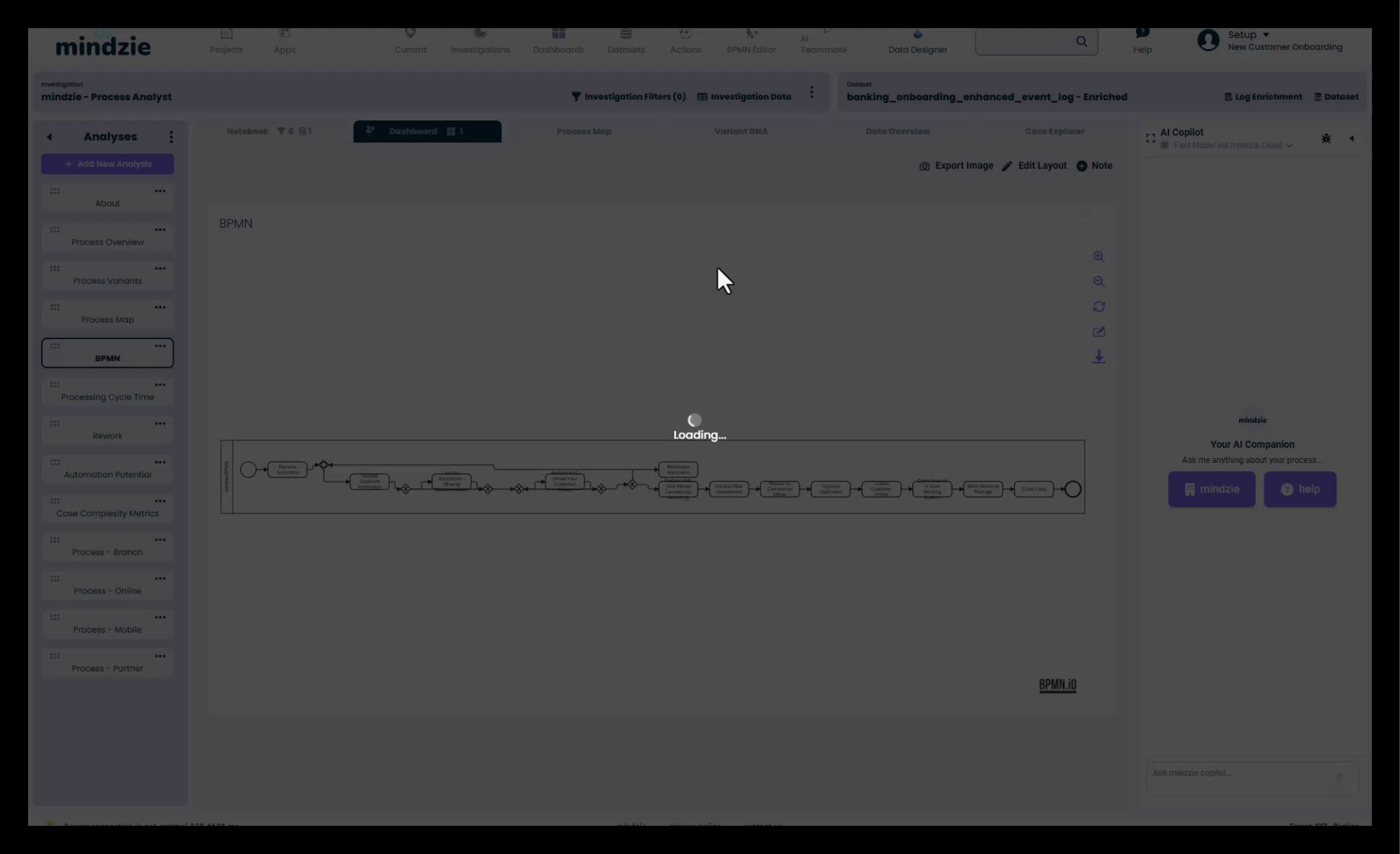
One of mindzie's most powerful features is the ability to automatically generate BPMN diagrams directly from your actual process data.
Advantages of Auto-Generated BPMN
As-Is Process Mapping
- Start with your actual data flows instead of theoretical models
- Generate diagrams based on real process execution
- Avoid the "boardroom mapping" problem
- Get accurate representation of current state
Living Documentation
- Diagrams automatically update with your data
- Always reflects the current process state
- No manual maintenance required
- Stays synchronized with actual operations
Multiple Use Cases
- Conformance Checking - Compare actual vs. intended process
- Compliance Documentation - Always current regulatory documentation
- Training Materials - Accurate process guides for new employees
- Process Analysis - Understand actual process behavior
Generating BPMN from Data
To automatically generate BPMN diagrams:
- Use the BPMN Calculator within mindzieStudio
- Configure your process data source
- The system automatically generates the BPMN diagram
- The diagram reflects your actual process flows
Editing Auto-Generated Diagrams
After auto-generation, you can enhance and customize:
- Click Edit on the generated diagram
- The diagram migrates to the BPMN Editor
- Extend and modify as needed
- Add additional details and annotations
Extending Auto-Generated Diagrams
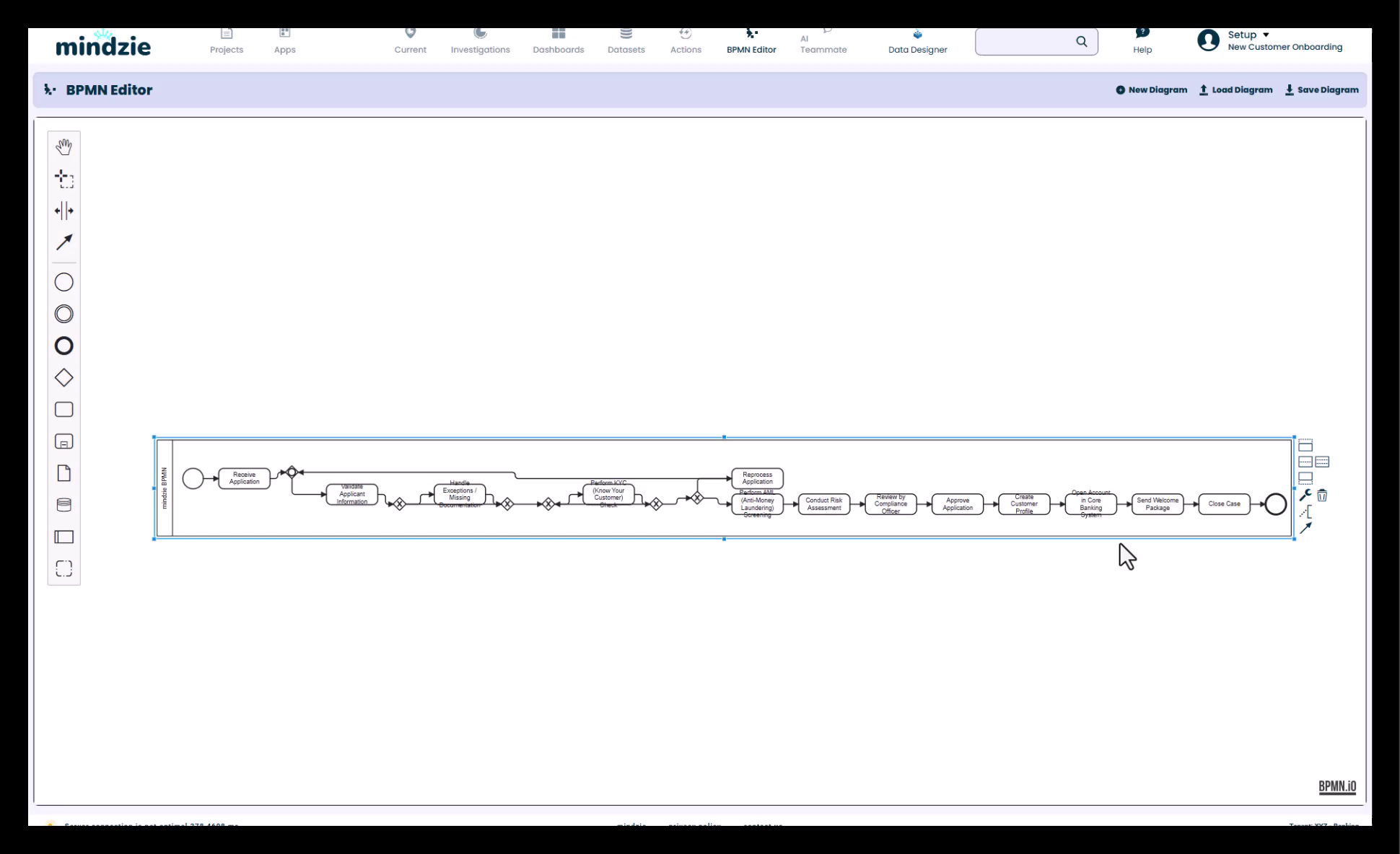
Once in the BPMN Editor, you can:
- Map Out Details - Add granular process steps
- Add Notes - Include insights and observations
- Create Swim Lanes - Define incremental organizational boundaries
- Add Documentation - Include training materials and guidelines
- Annotate Changes - Document process improvements
- Export and Share - Save for distribution
Workflow: From Data to Documentation
The Complete Process
- Auto-Generate - Create initial BPMN from actual process data
- Review - Verify the generated diagram matches expectations
- Edit - Enhance with additional details and annotations
- Maintain - Keep updated as process data changes
- Export - Use for training, compliance, and analysis
Benefits of This Approach
- Accuracy - Based on real data, not assumptions
- Efficiency - Automated generation saves time
- Currency - Always up-to-date with actual processes
- Flexibility - Can be customized and extended
- Compliance - Maintains documentation standards
Use Cases
Process Discovery
- Generate as-is process maps from event logs
- Identify actual process flows and variations
- Discover hidden process paths
Compliance and Auditing
- Create compliant BPMN documentation
- Maintain current process documentation
- Support audit requirements with accurate diagrams
Training and Onboarding
- Provide accurate process guides
- Show actual process flows
- Update training materials automatically
Process Improvement
- Visualize current state (as-is)
- Design future state (to-be)
- Compare processes over time
- Identify optimization opportunities
Conformance Checking
- Compare planned vs. actual processes
- Identify deviations and exceptions
- Monitor process compliance
Best Practices
For Manual Diagram Creation
- Follow BPMN Standards - Use proper notation and conventions
- Keep It Clear - Avoid overly complex diagrams
- Use Swim Lanes - Clearly show organizational responsibilities
- Document Decisions - Add notes at key decision points
- Save Regularly - Export and backup your work
For Auto-Generated Diagrams
- Start with Auto-Generation - Let the system create the base
- Review Accuracy - Verify the generated diagram is correct
- Enhance Strategically - Add value through annotations and details
- Maintain Currency - Regenerate periodically to stay current
- Document Changes - Note when you deviate from auto-generated content
General Best Practices
- Consistent Naming - Use clear, descriptive names
- Version Control - Track diagram versions over time
- Collaborate - Share and review with stakeholders
- Purpose-Driven - Create diagrams for specific use cases
- Update Regularly - Keep documentation current
Integration with mindzieStudio
The BPMN Editor is fully integrated with mindzieStudio:
- Access from the main navigation menu
- Automatically generate from process data
- Edit and customize within the same platform
- Export for use in other tools
- Share with stakeholders
Support
For assistance with the BPMN Editor:
- Refer to BPMN 2.0 standard documentation for notation details
- Contact mindzie support for advanced features
- Check the BPMN Calculator documentation for auto-generation options
- Review the latest documentation for new editor features