ML Studio (Alpha)
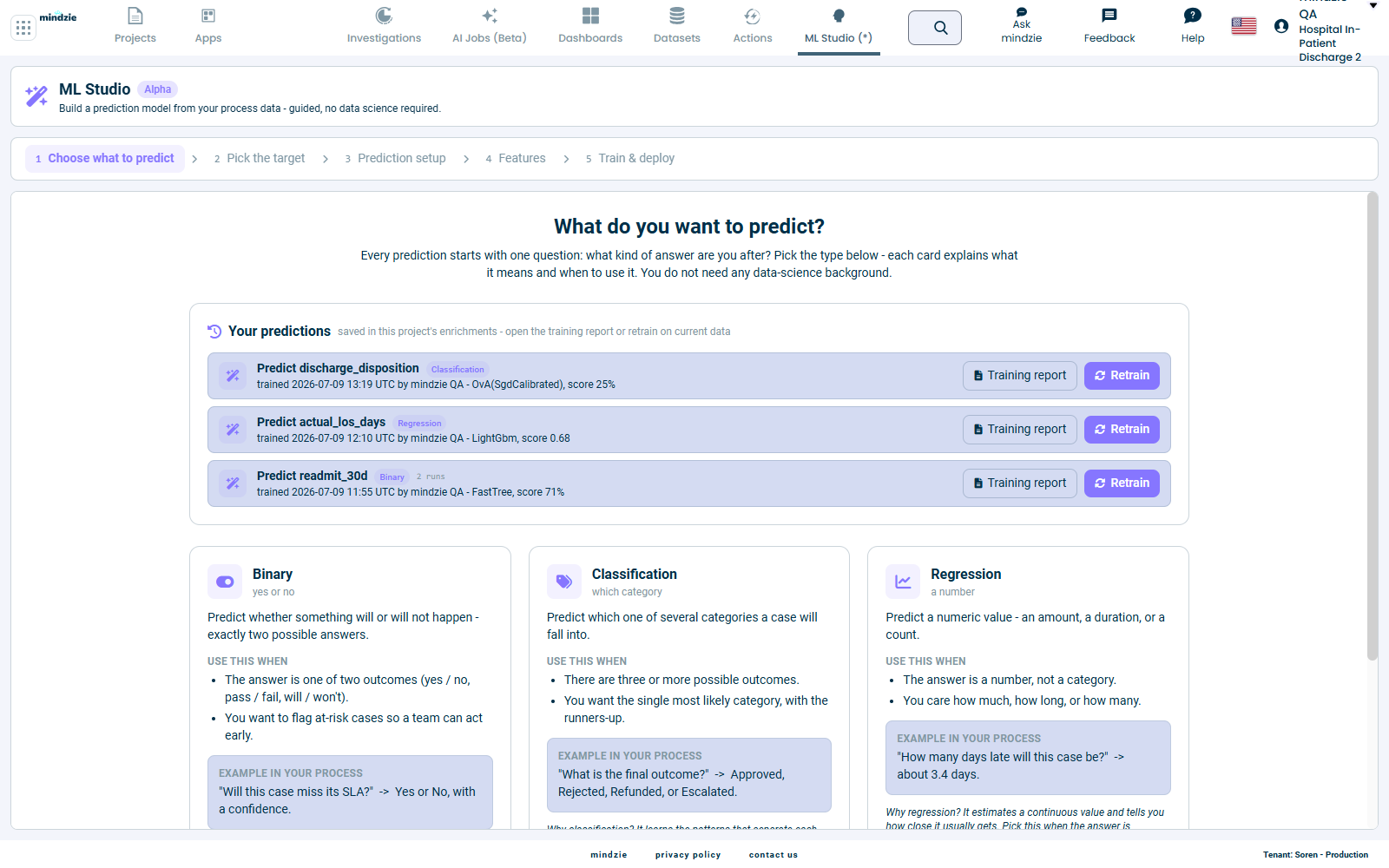
ML Studio lets you build a prediction model from your process data through a guided, five-step flow - no data science background required. You pick what you want to predict, ML Studio finds the best model for your data, and the result becomes a live prediction on every case.
Alpha feature. ML Studio is part of the mindzie Alpha Program and is only available to tenants with PreRelease enabled. It is still being refined, so expect rough edges and occasional changes. See Alpha Features for what that means.
What you can use it for
ML Studio answers forward-looking questions about your running cases, such as:
- Will this case miss its SLA? (yes / no)
- How many days late will this order be? (a number)
- What will the final outcome be - Approved, Rejected, Refunded, or Escalated? (a category)
Every prediction is trained on your own historical cases and, once built, is written back onto each case as a new attribute you can sort, filter, chart, and act on - exactly like any other case column.
What "guided" means
You never write code or tune an algorithm. ML Studio walks you through five steps, explaining each choice in plain language as you go:
| Step | Screen | What you do |
|---|---|---|
| 1 | Choose what to predict | Pick the kind of answer you need - Binary, Classification, or Regression |
| 2 | Pick the target | Choose the column whose value you want to predict |
| 3 | Prediction setup | Choose the moment in a case when the prediction is made |
| 4 | Features | Review the signals ML Studio will learn from |
| 5 | Train & deploy | Watch the search, review the winning model, and put it to work |
The progress bar across the top of every screen shows where you are in the flow.
How to open ML Studio
- Open a project.
- Click ML Studio in the top navigation bar. (The link appears only when PreRelease is enabled for your tenant; an Alpha badge marks it.)
- You arrive on the Choose what to predict screen, which also lists any predictions already built for this project under Your predictions.
What you need first
ML Studio learns from an enriched dataset - an event log with the case attributes and enrichments you want the model to consider. Before you start:
- Load a project that has at least one enriched dataset.
- Make sure the column you want to predict already exists on your cases (for example a status, a category, or a numeric measure).
The richer your enrichments, the more signals ML Studio has to learn from.
The rest of this guide
- Prediction types - Binary vs. Classification vs. Regression, and how to pick.
- Building a prediction - choosing the target, the prediction moment, and the features.
- Training and results - the live model search, the leaderboard, and how to read the scorecard.
- Using your predictions - where predicted values appear, retraining, and managing your saved predictions.
Providing feedback
Your input shapes ML Studio before it reaches general release:
- Email: support@mindzie.com
- Subject: include "Alpha Feedback: ML Studio"
- Include: what you were trying to do, what happened, and what you expected.