Changing the Display Language
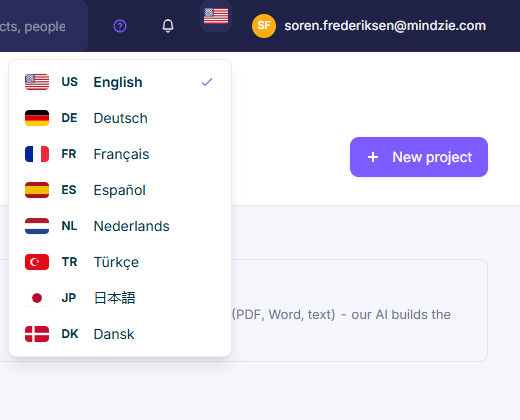
The BPM Studio interface is available in eight languages. Each user picks their own language; it does not affect anyone else.
Supported Languages
| English | Nederlands (Dutch) |
| Deutsch (German) | Türkçe (Turkish) |
| Français (French) | 日本語 (Japanese) |
| Español (Spanish) | Dansk (Danish) |
Switching Language
- Click the flag icon in the header.
- Pick a language from the list - the current one is marked with a check.
- The page reloads in the selected language.
Your choice is remembered for future sessions on the same browser.
What Changes - and What Doesn't
- The BPM Studio interface - navigation, buttons, dialogs, column headers - follows your language choice. Translation coverage is still being completed, so some texts may appear in English.
- Diagram content does not change. Element names stay exactly as their author wrote them, in whatever language that was. Everyone sees the same labels.